
External hard disk data recovery
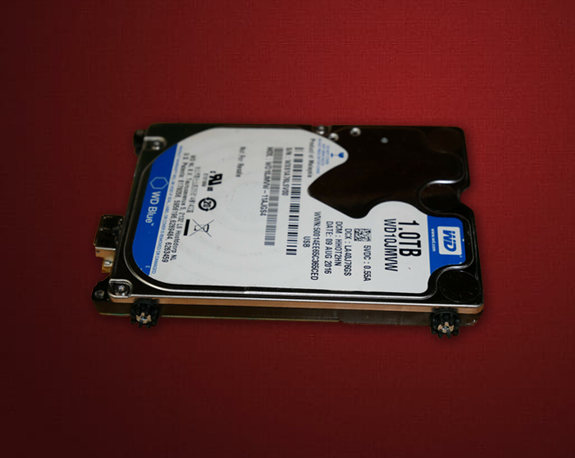



The main cause of data loss on external hard drives is physical stress: the drive is dropped, knocked over or unplugged while it is still working. Unlike internal drives, external drives therefore often show these problems:
- problems with the spindle motor,
- failure of the read/write heads,
- heads stuck to the platter surface.
These problems can be solved more easily on 2.5-inch drives, which are the most common type of external drive, than on 3.5-inch drives.
Data recovery from an external hard drive is possible as long as the data itself has not been destroyed or completely overwritten. With symptoms such as “not recognised”, clicking noises or a complete failure, the data can be recovered in most cases. Some series, such as WD Elements and WD My Passport, can also suffer from firmware problems that make the drive extremely slow. Recovery after deletion, formatting or reinstalling the operating system works in the same way as for internal hard drives and SSDs.
We recover data from external hard drives of all well-known brands, including Seagate, Western Digital, Toshiba, LaCie, Transcend, Verbatim, Intenso, iomega and HGST/G-Technology – and from all common interfaces such as USB 2.0, USB 3.x, USB-C, eSATA, FireWire and Thunderbolt.




Data recovery process
Be vigilant and do not attempt to salvage the data on the device yourself. This can make recovery impossible.
Data recovery from storage media from all manufacturers






All orders are processed exclusively in our Berlin laboratory. The data recovery from mechanically defective hard drives takes place within a dust-free environment of our clean room workbench of clean room class 100.
Frequently asked questions about external hard drive data recovery
Yes, in principle. The work is the same as for internal drives. Some external drives have a USB controller built into their circuit board; for recovery these drives are connected through a special interface or their board is replaced.
The drive is removed from its case and read through the SATA interface or a special service interface. The built-in USB connection is usually not suitable for recovery.
If the drive works, copy the data to a second drive, for example with Windows Explorer or the Mac Finder, or use backup software or a cloud service that runs automatically.
The diagnosis is free of charge. A standard recovery costs 357–535.50 euros, a special recovery (for example mechanical damage that needs spare parts) 476–897 euros plus any spare parts. If no data can be recovered, you pay nothing for the recovery. Details: Prices.
Yes. Bad sectors cause programs to freeze or errors when you open or copy files. Recovery is done with special hardware and software; data stored in the damaged sectors themselves is usually lost.
For simple logical problems you can try software, but always save the results to another drive. If the drive clicks, beeps or is not recognised, switch it off and contact a specialist – further attempts can cause more damage.